Quick Answer
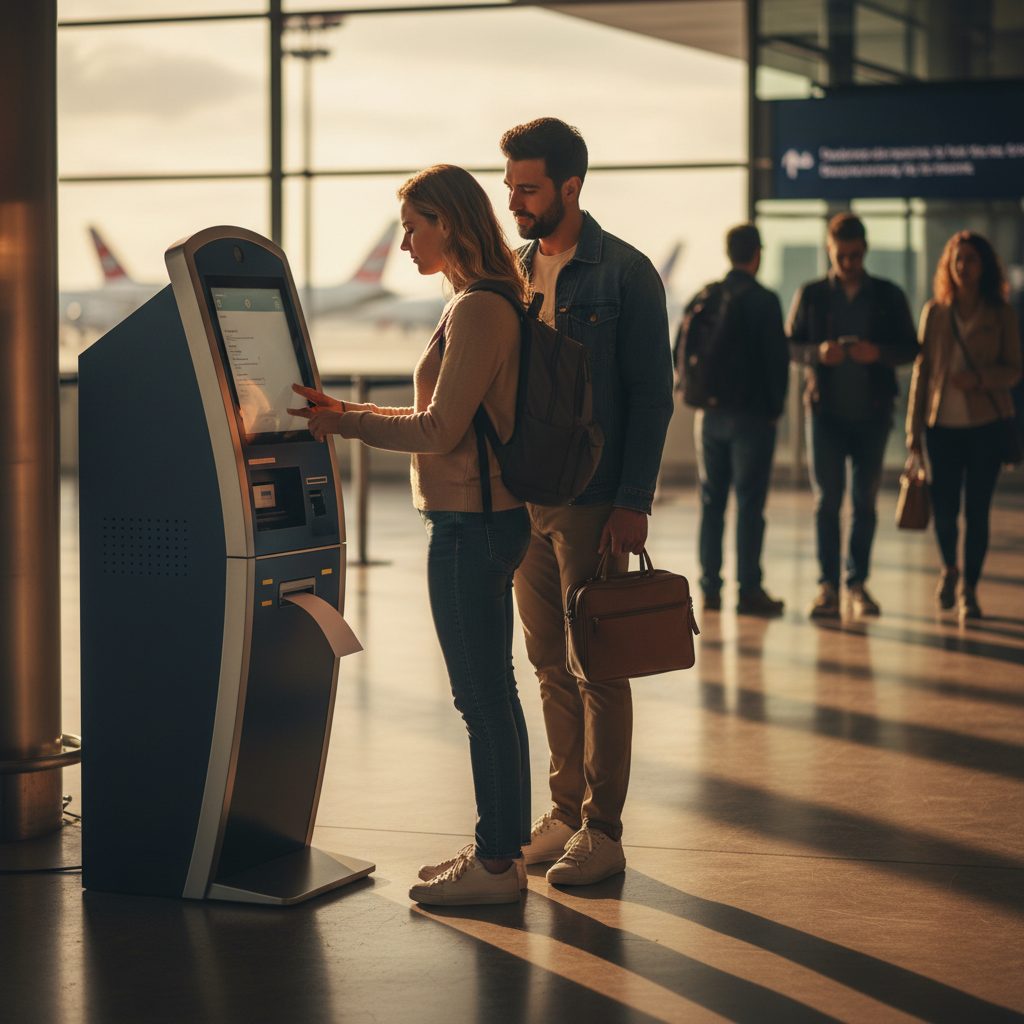
To print a boarding pass at the airport, you can use a self-service kiosk or visit the full-service check-in counter. Kiosks are usually located near the entrance of the departures terminal and require you to scan your passport, enter your confirmation code, or swipe a credit card to locate your booking. Once your details appear, you simply select the print option and your paper pass will slide out of the machine.
If you have checked luggage, you often print your bag tags at the same kiosk before dropping your suitcase at a designated bag drop point. If the kiosk is not working or if you have a complex international itinerary, you should head to the airline agent at the desk who can print the pass for you after verifying your identification. I always recommend arriving at least two hours before a domestic flight to ensure you have enough time for these steps.
Using a Self-Service Kiosk
Kiosks are the fastest way to get a physical piece of paper in your hand. Most major airlines like Delta, United, and American have rows of these touch-screen machines right when you walk into the terminal. I find that using the confirmation code from my email is the most reliable way to start the process. You just type in the six-character alphanumeric code and the screen should immediately show your flight details.
If you do not have your code ready, you can usually swipe the credit card you used to book the flight or scan the photo page of your passport. The machine will ask if you want to check in any bags. If you select yes, it will print both your boarding pass and your long, sticky luggage tags. Make sure you take every piece of paper the machine prints, as your gate information and seat number are only useful if you have the right document.
Some kiosks also allow you to change your seat or upgrade to a premium cabin right there on the screen. If you encounter any technical issues like the printer jamming or the screen freezing, do not panic. There is usually a roaming agent nearby who can reset the machine or point you toward a dedicated assistance desk.
Visiting the Check-In Counter
If you prefer the human touch or if you are traveling with a large group, the check-in counter is your best bet. I usually head straight here if I am traveling internationally to a country that requires a visa check. The agents must physically see your travel documents before they are allowed to issue a boarding pass. This is a security requirement that a kiosk cannot always handle on its own.
Wait in the line that corresponds to your cabin class or loyalty status. When you reach the agent, hand over your government-issued ID or passport. You do not actually need a printout of your itinerary, as they can find your reservation using your name and identification. They will weigh your bags and then print your boarding pass on sturdy cardstock, which is much more durable than the thin thermal paper from the kiosks.
Keep in mind that some ultra-low-cost carriers may charge a significant fee for printing your pass at the counter. Airlines like Spirit or Frontier often charge roughly twenty dollars or more for this service because they want to encourage passengers to use their mobile apps. Always check your airline policy before you show up empty-handed to avoid these extra costs.
Why You Need a Physical Copy
Even though I love the convenience of a mobile boarding pass, I always keep a paper copy as a backup. Phone batteries are notorious for dying at the exact moment you reach the front of the security line. Furthermore, phone screens can sometimes be too dim or too cracked for the gate scanners to read properly. A paper pass eliminates these digital headaches entirely.
In some international airports, the security process requires multiple stamps on your boarding pass. Digital versions cannot be stamped, so the officials will insist on a paper version. I have also found that having a physical pass makes it easier to keep track of my gate and boarding group without constantly unlocking my phone and draining the battery while I wait in the lounge.
- Reduces stress if your phone battery dies or the screen freezes.
- Provides a physical place for gate agents to write down gate changes.
- Acts as a backup in case the airline app crashes or has no signal.
- Required by certain international customs and immigration departments.
What to Do if Your Phone Dies
If you planned on using a mobile pass and your phone dies before you get through security, do not worry. You can still get a paper pass. If you are already past the security checkpoint, head to your departure gate. The gate agents have printers behind their desks and can print your pass for free if you show them your ID. They see this happen every single day and are usually very helpful about it.
If your phone dies before you even enter the security line, look for the nearest airline kiosk. As long as you remember your confirmation code or have your ID, you can print a fresh pass in seconds. If you cannot remember your code, go to the full-service check-in counter and explain the situation. They will look you up by your last name and destination.
To prevent this, I highly recommend carrying a portable power bank in your personal item. Most modern terminals also have charging stations, though they are often crowded. If you are really in a bind, some airport shops sell charging cables, though they are usually overpriced. Getting the paper pass is the most efficient and free solution to a dead battery.
Tips for International Travel
Printing a pass for international flights can be slightly more complex. Many airlines will not let you print your own pass at home or at a kiosk because they need to verify your passport and any necessary health or visa documents. In these cases, you must see an agent at the check-in desk. I recommend arriving at least three hours early for these flights to account for potentially long lines at the document verification counters.
Once you have your pass, keep it in a secure but accessible place like a dedicated travel wallet or the front pocket of your carry-on. You will likely need to show it and your passport multiple times: at the check-in desk, the security entrance, the duty-free shop, and finally at the boarding gate. Having both documents together saves time and prevents you from fumbling at the front of the line.
If you have a connecting flight in a foreign country, the first airline usually prints all your boarding passes at once. However, if the second leg of your trip is with a different airline, you may need to visit a transfer desk in the connecting airport to get your final pass. Look for signs that say Transfers or Flight Connections rather than exiting the secure area to find a check-in desk.
Common Printing Issues
Sometimes the kiosk might tell you that you are not checked in or that it cannot find your reservation. This usually happens if there is a misspelling in your name or if your flight was booked through a third-party site that used a different reference number. In this scenario, take your ID to the assistance desk where a representative can manually search for your ticket in the system.
Another common issue is when the kiosk printer runs out of paper. If the machine finishes your transaction but nothing comes out, do not try to use a different machine immediately, as it might think you have already checked in. Instead, tell a nearby staff member. They can often open the machine to clear a jam or print a duplicate pass from their hand-held device.
- Ensure your name matches your ID exactly to avoid search errors.
- Check your email for the airline specific confirmation code, not the travel agency code.
- Be aware that some codeshare flights require you to check in with the operating carrier.
- If a kiosk is down, check the next one over before joining a long line.
Frequently Asked Questions
Is it free to print my boarding pass at the airport?
For most major full-service airlines, it is completely free to use a kiosk or see an agent. However, budget airlines like Spirit or Ryanair often charge a fee for printing at the counter, so it is better to print at home or use their mobile app.
Can I print my boarding pass if I do not have a printer at home?
Yes, you can simply wait until you get to the airport and use a self-service kiosk or the check-in counter. Many hotels also have business centers where you can print your pass for free or a small fee before you head to the terminal.
What information do I need to print my pass at a kiosk?
You will generally need your six-digit confirmation code, your passport to scan, or the credit card you used for the purchase. Some machines also allow you to search by your flight number and last name.
Can I print a boarding pass for a connecting flight?
Yes, when you check in for your first flight, the kiosk or agent will typically print all the boarding passes for your entire journey. If you lose one along the way, any gate agent for that airline can print a replacement for the next leg.
Do I need a paper boarding pass to go through security?
In most US airports, you can use a mobile boarding pass on your phone to get through security. However, having a paper backup is highly recommended in case of technology failures or if the airport scanners are having trouble with your phone screen.
Final Thoughts for Success
Printing your boarding pass at the airport is a straightforward process that should not add stress to your trip. Whether you use a kiosk or talk to an agent, the goal is the same: getting that piece of paper that grants you access to your flight. I always make it a habit to grab a paper copy even if I have the app, just for that extra peace of mind during long travel days.
Remember to check your airline rules regarding printing fees a day before you travel. As long as you have your ID and your confirmation code ready, you can navigate the terminal with confidence. Take a moment to verify your gate number on the airport monitors after you get your pass, as gate assignments can change frequently. Safe travels and enjoy your flight.